
If Google's crawler is adding to a server overload on Black Friday, Google's documentation says to return a 500, 503 or 429 status instead of a normal page, briefly. Add a Retry-After header to a 503 or 429 to say when to come back. Do not keep it up for more than one to two days, because Google warns that URLs can be dropped from the index. Google also says slowing crawling can pause or stop ads from serving.
What does Google's crawl-rate page say?
Google's Reduce the Google crawl rate page covers emergencies. As we read it:
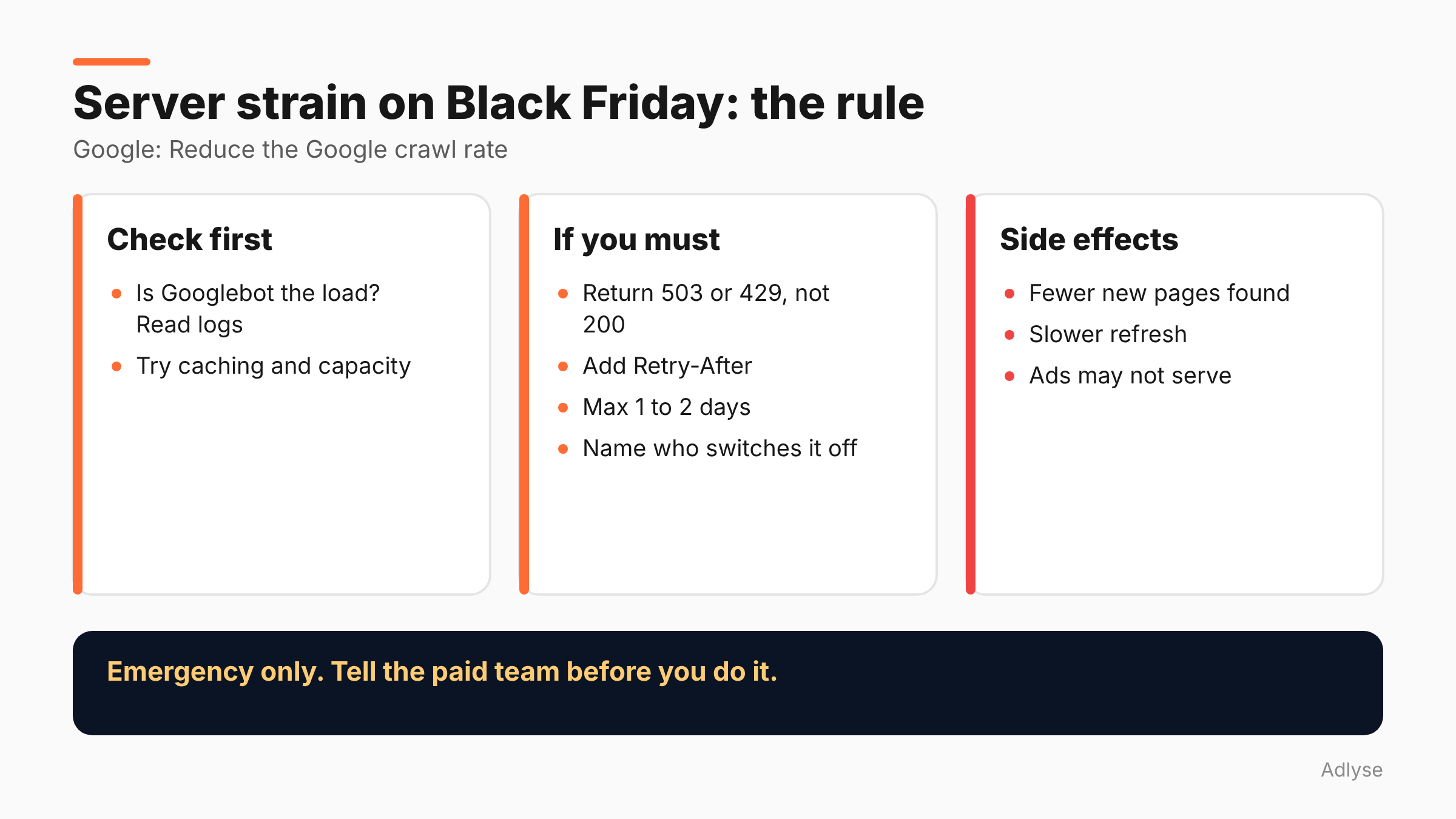
- Use status codes. Return a 500, 503 or 429 response instead of 200 to crawl requests. Google says this is for emergencies and short periods, such as a couple of hours or one to two days.
- It applies to the whole hostname. Google's crawlers reduce the crawl rate for the whole hostname, including URLs that return content. The rate rises again automatically once the errors decrease.
- Retry-After is optional. You can add a Retry-After header to a 503 or 429 response. It accepts either a delay in seconds or an absolute UTC date and time. The page does not mention it for other codes.
- There is a time limit. Do not continue for longer than one to two days. If Googlebot sees these codes on the same URL over multiple days, "the URL may be dropped from Google's index."
- You cannot ask for more. You cannot request a higher crawl rate. If error responses are not feasible, you can submit a special request in Search Console's Googlebot report to report an unusually high crawl rate and suggest a rate. Evaluation can take several days.
The page does not discuss robots.txt as a way to reduce crawl rate, and it does not describe the status of the old Search Console crawl-rate limiter. Check Google's page for current wording.
What changed on October 6, 2026?
Search Engine Roundtable reported on October 6, 2026 that Google restructured the emergency crawl-rate section and added Retry-After information and examples. Google's changelog says it "Restructured the emergency crawl rate reduction section."
The same report notes that support for Retry-After is not new, and that Google's crawling behavior has not changed. It already treated 500, 503 and 429 responses as signals to slow down. The update makes Retry-After an explicit extra signal for 503 and 429 responses and adds example code.
So this is a documentation tidy-up, not a new feature. It is still worth reading before a peak week.
Why does this matter on Black Friday?
Because peak traffic is when servers fail, and a failing server is when everyone wants to cut load fast. If your shop is slow, the crawler can be one of several causes, alongside shoppers, bots and your own marketing.
Most of the time Googlebot is not the problem. Before you slow it, find out what is. Blocking Google is a blunt tool, and its side effects are large, as the next section shows.
What are the side effects?
Per Google's page, slowing crawling has broad effects:
- Googlebot finds fewer new pages.
- It refreshes existing pages less often.
- It keeps removed pages in the index longer.
- For Google Ads, campaigns may be paused or canceled, and ads may not serve.
That last point matters most for paid media teams. If you return 503s to every crawl request, including the ad landing-page checks, you can stop your ads. During Black Friday, that costs far more than a slow site.
This is why we say: use it only in an emergency, for hours rather than days, and tell your paid team before you do. The ad impact comes from Google's page, and we have no data on how quickly it happens.
When should you do it, and when should you not?
This section is our opinion, built on Google's page.
Consider it when the server is failing, you have confirmed that crawler load is a material cause (check your logs), and you cannot add capacity or caching in time.
Do not do it when the slowdown is caused by shoppers, a bad deploy or a slow database query. Fix those.
Do not do it as a standing setting. Google says one to two days at most.
Do not do it without a plan to reverse it, with a named person who can undo it at any hour of the sale.
How do you set it up safely?
- Check your logs first. Identify whether Googlebot is a large share of the load.
- Try cheaper fixes first. Caching, a static fallback for category pages and more capacity are less risky than slowing a crawler.
- Decide who may switch it on, and who may switch it off. Write both names down.
- Return 503 or 429, not 200 with an error page. Google's page says to use the status codes.
- Add Retry-After to a 503 or 429 with a realistic delay. Google's page accepts seconds or a UTC date and time.
- Set a stop time. Put the reversal in your Black Friday log, with a limit well inside the one-to-two-day window.
- Tell the paid team. They need to know that ads may not serve while crawl-rate errors continue.
- Verify the recovery. After the errors stop, confirm normal responses and watch Search Console and ad status.
Write it like any other pause rule, with an owner, a threshold and a time window, and log it like any other change. Our weekly operations routine with agents shows one way to keep that log. Our Q4 and BFCM pacing plan covers the budget side.
What if you only need a short pause?
Google's page frames status codes as suitable for hours or one to two days. If the problem is a few hours, a 503 with Retry-After is the tool that fits. If it is longer, you have a capacity problem, not a crawl problem.
Do not use robots.txt to do this job, because Google's page does not describe that as a way to reduce crawl rate, and a mistake in robots.txt can block pages you want crawled. That is general caution, not something the page says.
What should agencies do before the weekend?
Add three lines to your Black Friday runbook: who can change server responses, what the stop time is, and who tells the paid team. Ask the client's developer to confirm the server can return a 503 with a Retry-After on demand, and to test it on a staging site, not on the live sale.
Also ask whether the site sits behind a content delivery network or a bot filter that may already serve errors to crawlers. If so, find out how that tool treats Googlebot, since you may be slowing it without knowing. Our guide to agent risks in ad accounts makes the same point about automation: know what acts on your behalf, and how to undo it.
What don't we know?
- How fast ads stop serving. Google's page says campaigns may be paused or canceled and ads may not serve. It gives no timing.
- Whether robots.txt can be used. The page does not discuss it.
- Current status of crawl-rate controls in Search Console, beyond the special request form in the Googlebot report.
What should you do next?
Add the three-line crawl-rate plan to your Black Friday runbook before Thursday. If you run changes through Adlyse, each approved change ships with a hypothesis and is graded improved, hurt or neutral. A server-side emergency switch is a change with a risk. State what it should achieve and when it ends.