

Write your pause rules before Thursday, November 26, not during it. A rule names a signal, a threshold, a time window and a person who decides. Google can spend up to twice a campaign's average daily budget on a single day, so a high spend day is not by itself a problem. A tracking failure or a stock-out is. Monitor for those.
Why do Black Friday ads need a monitoring plan?
Because the cost of a mistake rises with the spend, and the reaction time shrinks. A broken checkout or a conversion tag that stops firing can burn a large share of a day's budget in a few hours, and Black Friday has two or three of the biggest days in the year.
Our Q4 and BFCM pacing plan covers planning before the event. This post covers the live days: what to look at and when to stop spend.
How does Google Ads daily budget overspend work?
This is the first thing to explain to a client, because it causes false alarms.
Google's help page on overdelivery says a campaign can spend up to 2 times its average daily budget on any single day to handle traffic swings. Over a month, total spend should not exceed 30.4 times the average daily budget. You are never billed above those limits, per Google's page. The spend management page gives an example: a $10 daily budget caps monthly charges at $304.
So a campaign with a $1,000 daily budget can show $2,000 of spend on Black Friday and still be within the rules. That is not an error. Google says served cost can exceed the limits, and a credit is applied if it exceeds the monthly limit. The Billed cost report compares served cost with billed cost.
Set your alerts to match. Alert on spend that is out of line with the day's plan and with conversions, not on spend that is merely above the daily number.
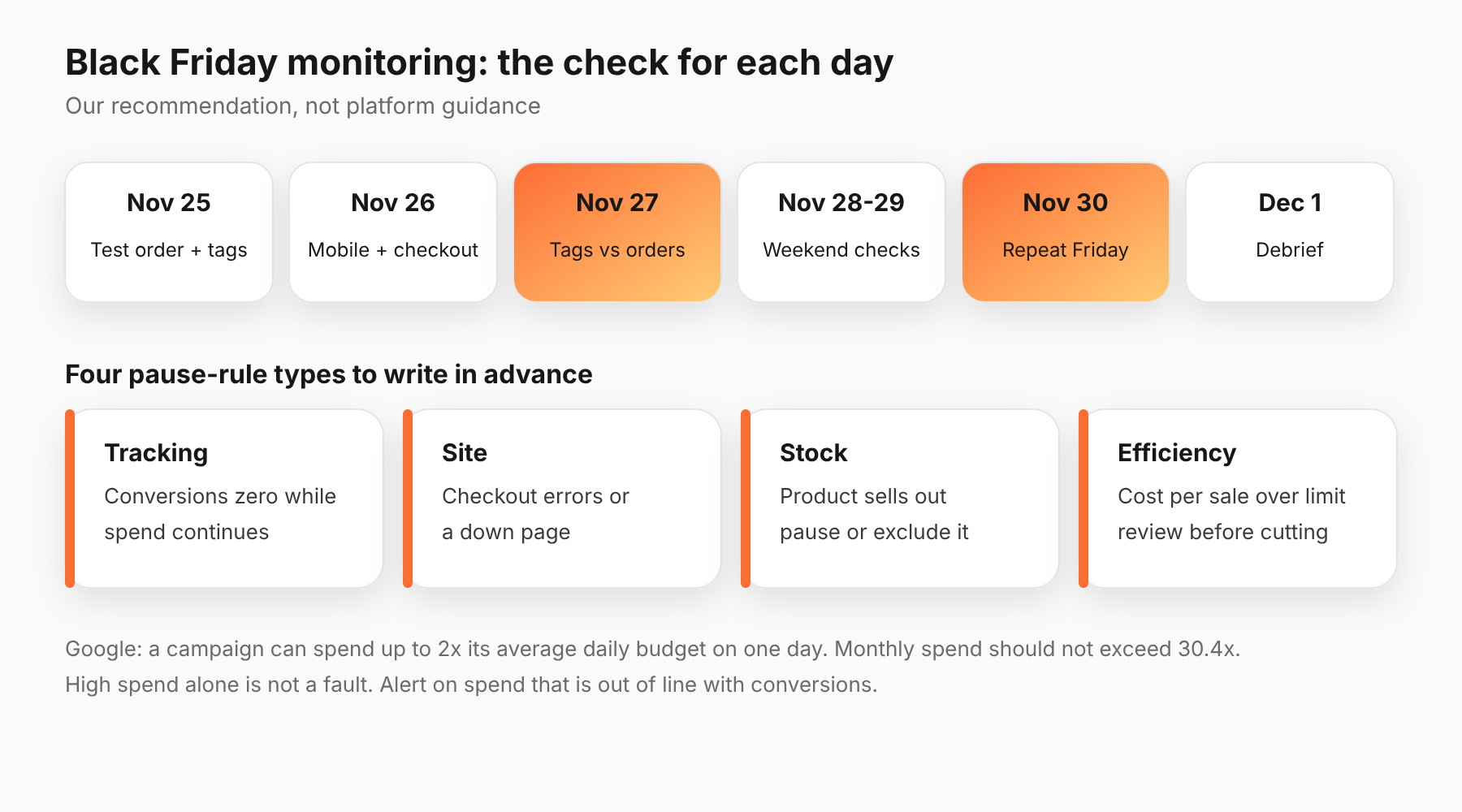
What should you check, day by day?
This schedule is our recommendation. Adjust it to your time zone and your team.
Wednesday, November 25 (day before):
- Place a test order on the live site and check the confirmation and the conversion tags.
- Check that promo codes, sale prices and stock match what the ads say.
- Confirm who is on call each day, and how to reach them.
Thursday, November 26 (Thanksgiving):
- Check at the start of the day that conversions are recording.
- Check mobile page speed and checkout. Adobe forecasts mobile at 63% of Thanksgiving online sales.
- Look at spend against the plan at midday and in the evening.
Friday, November 27 (Black Friday):
- Check conversions and backend orders in the first hour. If ads show spend but the shop shows no orders, stop and look.
- Check stock on best sellers, and pause ads for sold-out products.
- Check pacing at three points in the day.
Saturday and Sunday, November 28 and 29:
- Keep the checks running. Do not assume a quiet weekend. Adobe's forecast days leave about $12.6 billion of its $47.5 billion Cyber Week for Saturday and Sunday together (our arithmetic from Adobe's figures), close to Black Friday's $12.9 billion.
- Check approval status. A disapproved ad on Saturday night can sit unnoticed until Monday.
Monday, November 30 (Cyber Monday):
- Repeat Friday's checks.
- Decide the end-of-day budget ahead of time.
Tuesday, December 1: Review what happened, then write it down.
Which pause rules should you write in advance?
A good pause rule is boring and specific. Four types cover most problems:
- Tracking rules. Conversions recorded drop to zero for a set number of hours while spend continues. Action: alert a person immediately. Pause only after a person confirms the site is up.
- Site rules. Checkout errors or a down page. Action: pause the traffic that lands there.
- Stock rules. A product sells out. Action: pause or exclude that product.
- Efficiency rules. Cost per sale is above your limit for a window long enough to be meaningful. Action: review before cutting. Do not pause on a slow hour.
For each rule, write down the signal, the number, the time window, who is told and who may act. Our posts on AI autonomy guardrails and on what an audit trail should include cover how to cap what an agent may change and how to record it.
When should you not pause?
Often. Pausing has a cost. A paused campaign stops delivering, and restarting it takes a person's time.
Do not pause because:
- One hour looks slow.
- Spend is above the daily budget number but within the 2x rule.
- Platform ROAS dipped. Platform-reported ROAS is noisy on peak days. See our guide to reading cross-platform numbers.
Pause because a fact changed: the site, the stock, the tags, the price.
What should the handoff look like between shifts?
This section is our opinion. Peak days run longer than one person's day, and many failures happen at the handoff.
Keep one shared log for the four days. Each entry has a time, what was checked, what was found and what was done. When the next person starts, they read the log first and do not repeat checks from memory.
Agree three things at each handoff. What is the current spend against plan? Which pause rules fired and who approved them? What is waiting for a decision? Write the answers in the log, not in a chat thread that scrolls away.
Name who can approve a change at each hour of the four days, including overnight in your client's time zone. A rule with no owner at 3 a.m. is just an alert nobody reads.
How should agents and automation fit in?
Let automation watch and alert. Be careful about letting it pause or cut spend on its own during peak days unless you have set limits in advance and a person can undo the action.
Name three things for any agent: what it may change, what needs approval and how a person reverses it. Keep a log of every change with the reason. See our guide to agent risks in ad accounts.
What should you do next?
Write the four types of pause rule down for each account this week and name an owner. If you run changes through Adlyse, each approved change ships with a hypothesis and is graded improved, hurt or neutral. A pause rule works the same way: state the signal and the expected effect before you act.