

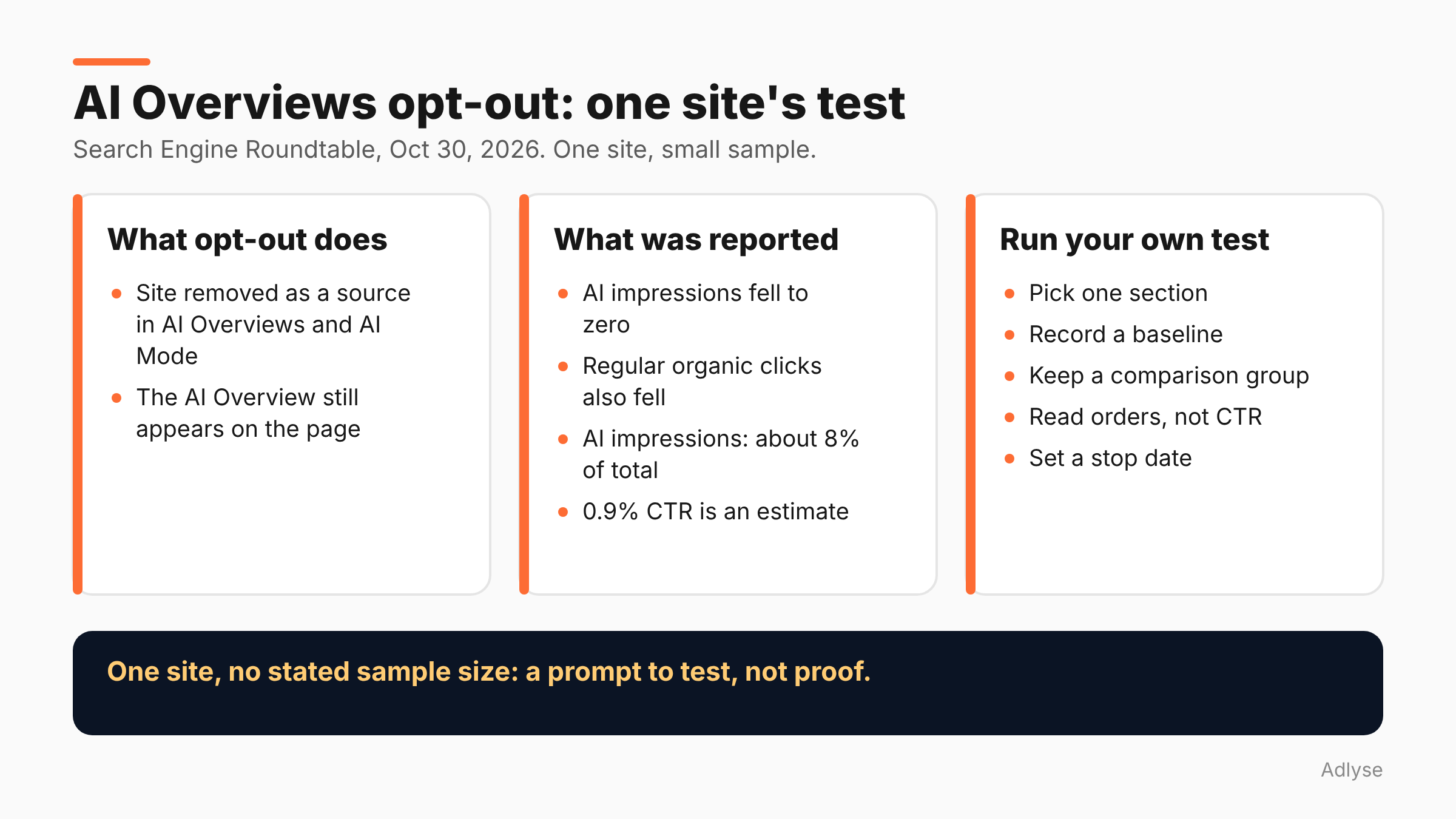
Probably not, on the evidence we have. SEO Cyrus Shepard opted one site out of Google's AI Overviews and AI Mode, then compared the numbers. AI impressions fell to zero, and regular organic clicks fell too. It is one site with no stated sample size, so treat it as a prompt to test your own, not as proof. Search Engine Roundtable reported the study on October 30, 2026.
What did the opt-out test actually do?
Per Search Engine Roundtable's report, Shepard used Google's generative AI opt-out controls to block his site from appearing in AI Overviews and AI Mode. He then compared impressions, clicks and click-through rate (CTR) for the periods when the site was in AI features and when it was out.
Two details matter.
Opting out removes your site as a source, not the feature. AI Overviews still appeared on the results pages for those queries. Only his site was excluded from them.
It was a before-and-after comparison. It was not a controlled test with a split of pages or queries. Barry Schwartz, who reported it, called it a "super limited study based on a small sample size." The article does not give the number of queries or pages, or how long each period ran.
Shepard posted it on LinkedIn as a "small case study." We could not open that post, so everything here comes from Search Engine Roundtable's summary.
What did the numbers show?
As reported:
- AI impressions dropped to zero during the opt-out. That is expected, since the site was excluded.
- Regular organic clicks also fell. This is the surprising part. Blocking AI features did not push those clicks into the classic blue links.
- AI impressions were about 8% of total impressions for the site.
- The 0.9% CTR is an estimate. Shepard worked it out by taking the site's overall CTR and impressions and subtracting the known AI impressions from the experiment period. It is not a figure Google reports.
Two caveats follow from this. First, 0.9% is a derived number from one site. Do not quote it as "the CTR of AI Overviews." Second, a fall in regular clicks during the opt-out has more than one possible cause, and the article does not say which one applied.
Why might regular clicks fall when you opt out?
We do not know, and the report does not say. Here are three possibilities, labeled as our guesses:
- Seasonal or ranking changes that happened to overlap with the test dates. A before-and-after design cannot rule this out.
- Brand effects. Greg Sterling, quoted in the article's comments, said his firm's research suggests AI Overviews can create brand lift that leads to later clicks. If that is right, a site that disappears from the answer may lose some later brand searches.
- Overlap between the two sets. A query where you were cited may also be a query where you ranked well. Removing the citation may change how the whole result looks.
None of these is confirmed. The useful lesson is that the opt-out has costs you cannot see in the AI impressions line alone.
What does Google say about opting out?
Google's AI optimization guide says pages must be indexed and eligible to appear in Search with a snippet to be shown in generative AI features, and that sites can monitor their performance in the Generative AI performance report in Search Console. That is the check for whether you are in these features at all.
If you restrict snippets for a page, you also restrict how it can show up in AI features. Before you block anything, find out what is already restricted on your site. Many sites have a stray nosnippet somewhere that nobody remembers adding.
Should you run your own test?
Only if you can read the result. This section is our opinion.
Step 1: Decide the question. "Do AI features cost or help us?" is too broad. Pick one: "What happens to total clicks on this section of the site if we exclude it?"
Step 2: Choose a section, not the whole site. If the controls allow it for your setup, test on a group of pages that has steady traffic. A blog archive is safer than your top revenue pages.
Step 3: Record a baseline. Capture at least several weeks of clicks, impressions and CTR before you change anything. Note holidays and campaign dates.
Step 4: Keep a comparison group. Pick a similar section you do not change. Without it, you cannot separate your change from the season.
Step 5: Read for business results, not CTR alone. Look at orders, leads and branded searches, not only Search Console CTR.
Step 6: Set a stop date. Decide in advance how long it runs and what result would make you reverse it.
Do not run this test in the middle of Black Friday week. Your baseline will be wrong in either direction.
Why does this matter for paid media teams?
Because organic and paid now share the same screen. When Google answers a query with an AI Overview, your paid ad, your organic result and your competitor's citation may all sit in one view. A change to your organic visibility can change the paid numbers around it.
If you run both, put the AI opt-out on your change log, with the date. When paid conversion rates move a week later, someone should be able to see why. Our post on reading cross-platform numbers explains why platform-reported figures disagree, and our incrementality testing guide covers how to design a fair comparison.
What should agencies tell clients?
Tell them the honest version: the one public test we found is small, it suggests opting out did not help that site, and nobody has shown it works as a general strategy. Do not recommend blocking AI features because a competitor did, or because traffic is down. Traffic is down for many reasons.
If a client insists on blocking, write down the goal, the section, the dates and the review date. That turns an argument into an experiment. A written plan is also what you will need if the numbers move in a way nobody expected. See our guide to the audit trail for AI-driven ad spend for how we think about recording decisions.
What don't we know yet?
- Sample size and duration. Not given in the report.
- Whether the result holds elsewhere. One site.
- Why regular clicks fell. Not explained.
- How Google counts AI impressions in the Generative AI report. See our post on what Search Console's AI report can't tell you.
What should you do next?
Open Search Console's Generative AI performance report and find out how often your site appears today. Then decide whether a test is worth running. If you run changes through Adlyse, each approved change ships with a hypothesis and is graded improved, hurt or neutral. An opt-out test is a hypothesis too. Write it down first.