Until now, using Adlyse meant opening Adlyse. Today that changes. With MCP (Model Context Protocol), Adlyse plugs directly into the AI tools you already use — so you can ask Claude Desktop how your accounts did this week, pause a wasteful campaign from Claude Code, or generate a client report from a chat window, without ever switching apps.
Your ad ops, wherever your AI lives
MCP is the open standard for connecting AI clients to tools and data. By exposing Adlyse as an MCP server, we let any compatible client — Claude Code, Claude Desktop, Cursor, claude.ai, or your own headless service — read your performance data and take action on it, under the same guardrails as the in-app assistant.
The result: no context-switching, no copy-pasting metrics between tabs, and no giving up control. The whole investigate → act → report loop can now run from the tool you already have open.
From zero to connected in about a minute
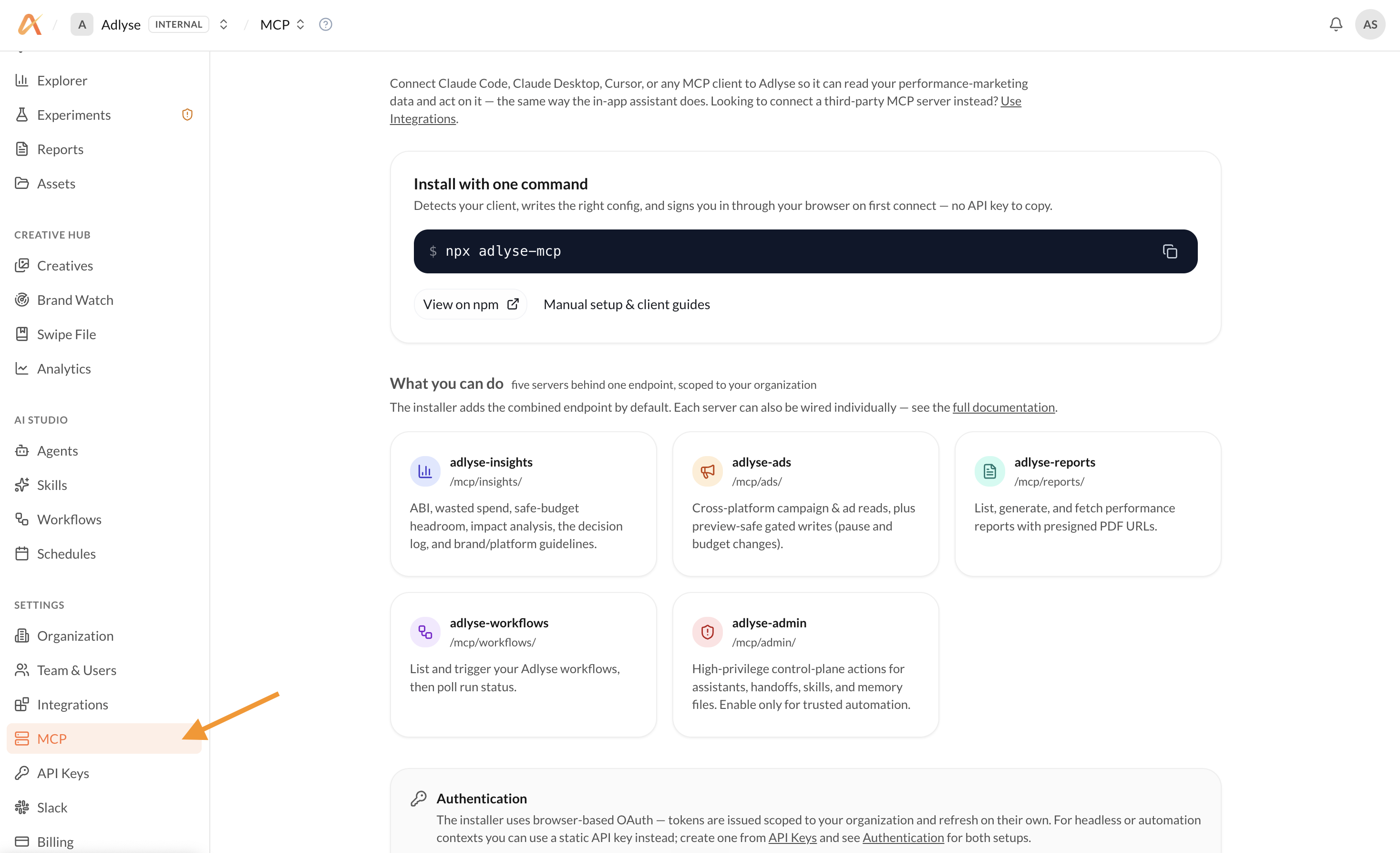
Open Settings → MCP in Adlyse
In the Adlyse sidebar, head to Settings → MCP. This page has everything you need: the install command, the list of servers, and your authentication options.
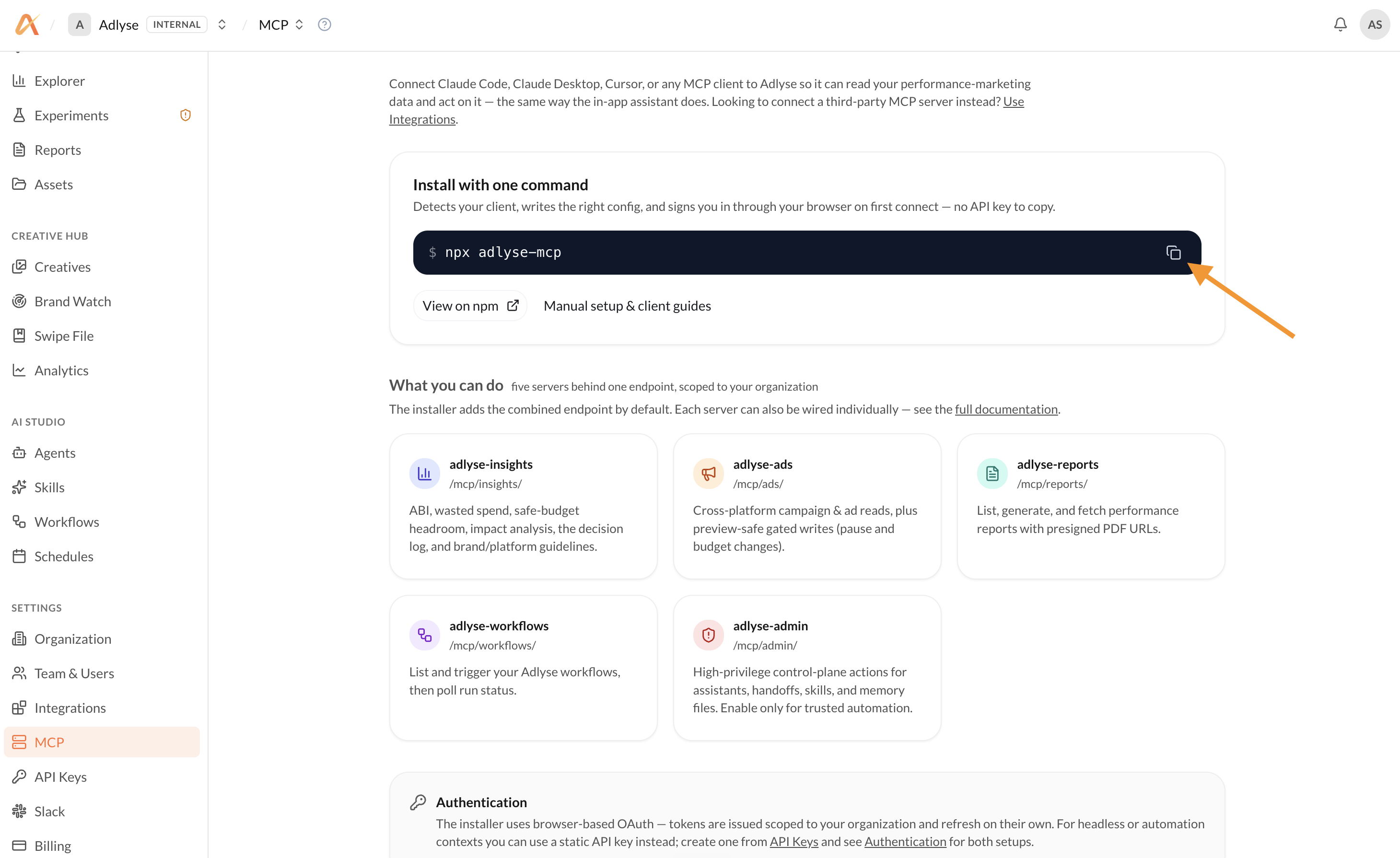
Copy the one-line install command
Copy npx adlyse-mcp. The installer detects your client (Claude Code, Claude Desktop, Cursor, and more), writes the right config for you, and signs you in through your browser on first connect — there’s no API key to copy or paste.
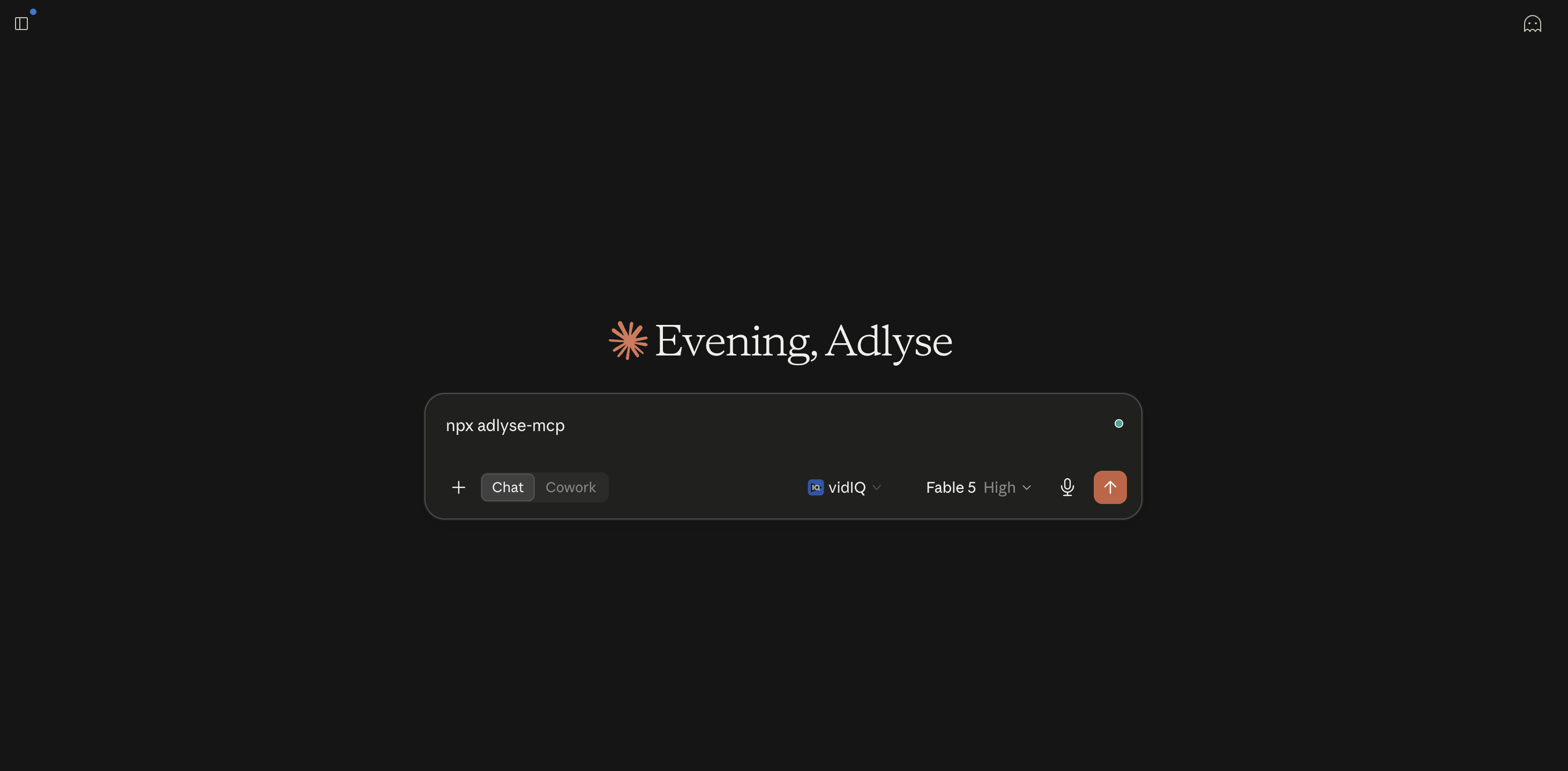
Run it in your AI client
Run the command in your client (or terminal). On first connect it opens your browser to sign in with OAuth, and issues a token scoped to your organization that refreshes on its own. That’s it — Adlyse’s five servers are now available inside your AI.
What connects
adlyse-insights
/mcp/insights/
ABI, wasted spend, safe-budget headroom, impact analysis, the decision log, and brand/platform guidelines.
adlyse-ads
/mcp/ads/
Cross-platform campaign & ad reads, plus preview-safe gated writes (pause and budget changes).
adlyse-reports
/mcp/reports/
List, generate, and fetch performance reports with presigned PDF URLs.
adlyse-workflows
/mcp/workflows/
List and trigger your Adlyse workflows, then poll run status.
adlyse-admin
/mcp/admin/
High-privilege control-plane actions for assistants, handoffs, skills, and memory files. Enable only for trusted automation.
The installer adds the combined endpoint by default; each server can also be wired individually.
Every MCP tool, by server
Open any server to see exactly what your AI can call. Reads pull live data; writes are previewed and logged before anything changes.
list_ad_accountsEvery actively-tracked account across all platforms.list_campaignsCampaigns with status and type, across platforms.get_performanceCampaign metrics for any period.list_change_eventsRecent changes to the account.list_ads / get_ad_performanceAds and their performance.list_creative_libraryEvery creative running, with previews.list_experiments / get_experimentExperiments and arm-by-arm detail.update_campaign_statusPause or enable a campaign.update_ad_group_status / update_ad_statusPause or enable an ad group or a single ad.update_campaign_budgetChange a daily budget — with a preview first.pause / resume / stop_experimentControl a running experiment.save / remix swipe fileSave competitor or own ads, and remix new creative.
get_dashboard_snapshotA one-shot state-of-accounts.get_impact_analysisWhat your recent changes actually did.get_competitor_pressureWhere rivals are crowding your auctions.list_suggestions / get_suggestionPrioritized recommendations with $ impact.get_strategy_session / list_strategy_claimsYour live strategy and its evidenced facts.get_creative_insightsWhat's working creatively, and why.list_competitor_ads / watch_competitorRivals' live ads, and your watchlist.list_audit_eventsA record of what changed.
list_report_templates / list_report_targetsTemplates and per-account targets.generate_reportGenerate a report from a template.list_reports / get_reportFind and fetch any past report.
list_workflows / get_workflowSee and inspect your automations.run_workflow / get_run_statusTrigger a workflow and track the run.create / update / delete_workflowBuild and edit automations.releasesVersion, promote and roll back like code.
google_ads_queryExact GAQL queries against Google Ads.*_insightsNative metrics for Meta, Microsoft, ChatGPT and AppLovin.*_mutateAllowlisted write operations, per platform.
assistantsCreate, update and inspect your AI agents.memoryRead, write and version agent memory.skillsAuthor skills and assign them to agents.
The bigger picture
Adlyse works inside your AI, not just its own app
The investigate → act → report loop runs from Claude Desktop, claude.ai, or Claude Code — meeting you where you already work.
It’s automatable and embeddable
Reports, workflow runs, and even campaign changes can be scripted or wired into other agents — headless, scheduled, or in CI.
It’s a two-way integration hub
Outbound, others drive Adlyse. Inbound, Adlyse agents reach into other systems. Together that turns Adlyse from a destination app into a node in your AI-agent ecosystem.
Governance is preserved end-to-end
Scoped grants, dry-run previews, the approval gate, and per-write audit logging apply to MCP exactly as they do in-app — so programmability never costs you control.
Connect Adlyse to your AI today
Open Settings → MCP, copy npx adlyse-mcp, and run it in your client. Five servers, one endpoint, scoped to your org — with dry-run previews and per-write audit logging on by default.