

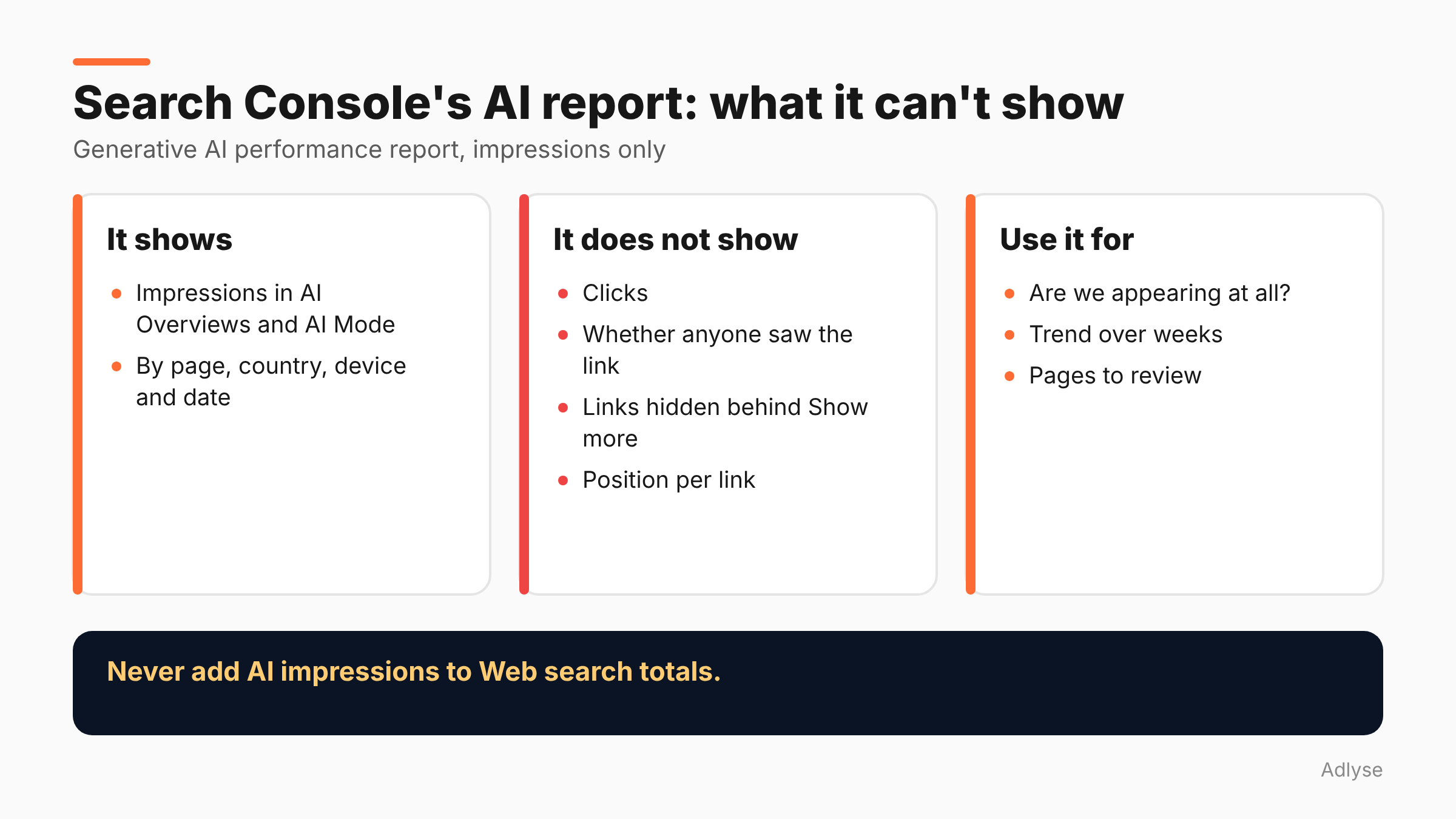
Search Console's Generative AI performance report shows impressions in AI Overviews and AI Mode. It does not show clicks. Every link in an AI Overview gets the position of the whole block, and links hidden behind "Show more" count only when a user expands them. Use it to see whether you appear. Do not use it to judge what AI answers are worth to you.
What is the Generative AI performance report?
Per TechWyse's summary of Google's reporting, the report covers impressions inside AI Overviews and AI Mode, broken down by pages, countries, devices and dates.
On timing, the same summary says Google began a limited rollout on June 3, 2026, with select UK website owners, and that by August 31, 2026 it was available to all websites worldwide. Google said in June that it would add metrics over time.
Google's own AI optimization guide points sites to this report as the way to measure performance in generative AI features.
What can't it show you?
Four gaps, as TechWyse reports them. We could not open Google's help pages, so check the details against them.
- Clicks. The report has no click data. Click data stays in the standard performance report.
- Real visibility. An impression counts when the answer renders on the page, even if the user never scrolls to it. An impression here is not proof that a person saw your link.
- Hidden links. Links behind a "Show more" element count only when a user expands them. Hidden exposure is undercounted.
- Position. Every link in an AI Overview gets the position of the whole block, not its place among the citations. You cannot tell whether you were first or fifth.
There is also a rule about totals. The report is a filtered subset of Web search data, so its numbers must not be added to Web search totals.
What did Google say about position?
John Mueller, Senior Search Analyst at Google Search Central, acknowledged the limits in a Reddit thread in September 2026. He said, "Position for these is hard to do in a way that makes it useful," per TechWyse. The same summary says Google had announced no change or timeline for link-level position reporting, and that Mueller asked the community for suggestions.
We could not open the Reddit thread, so check the quote against it before you reuse it.
Google's Search Console performance guidance also tells you to weigh average position less than impression and click trends. That advice fits this report even more strongly.
So what is the report good for?
This section is our opinion.
Presence. Are your pages appearing in AI features at all? If the answer is "barely," you have a different problem from "we appear but nobody clicks."
Which pages and which countries. The breakdown tells you where AI features pull from your site. That helps you see whether it is your product pages, guides or help articles.
Trend, not level. A rise or fall over weeks is more informative than a daily number. Annotate your own changes so you can match them to movements.
A starting list of questions. Pages with many AI impressions are the ones to read as a searcher would. Does the page answer the question in the first lines? Is the claim sourced?
What is it bad for?
Proving ROI. Without clicks, you cannot compute click-through rate, and you cannot compare AI impressions with paid impressions.
Ranking within the answer. One position per block means you cannot rank yourself against a competitor in the same block.
Predicting traffic. An impression that renders but is never scrolled to is not a visit.
Adding to your totals. Don't add AI impressions to Web search impressions.
How do you fill the gaps?
Use other data next to it. This is our opinion, not Google guidance.
- Analytics. Check landing-page sessions from Google organic in your analytics tool. Build a simple segment for the pages that appear in the report, and look at which gained or lost sessions after AI features changed.
- Branded search. The standard performance report has a branded and non-branded filter, available from March 11, 2025 per Google's help page. If AI features create brand lift, as Greg Sterling suggested in comments on one recent study, branded query trends may show it.
- Business results. Orders, leads and revenue from organic. They are the only measure that counts.
- A change log. Record every change to snippets, content and robots rules, with dates.
For the bigger question of whether to block AI features, see our post on one site's opt-out test.
How does it differ from the standard Performance report?
The standard report gives you clicks, impressions, CTR and position for Google Search. The AI report gives you impressions only, for the AI features. That is why the two cannot be added together, and why a click-through rate cannot be built from the AI report.
If a client wants one number for "search," keep the standard report as the headline and show AI impressions as a separate, smaller line. Our posts on why ROAS misleads across platforms and on incrementality testing explain how to avoid reading a visibility metric as a result. When someone asks whether AI answers "worked," the honest reply is that this report answers "did we appear," and a test has to answer the rest.
How should agencies report AI visibility to clients?
Say what the number is. "Your pages appeared in AI answers X times" is true. "AI answers drove X visits" is not supported by this report.
Show it as a trend with the dates of changes annotated. Keep it on its own line in the report, never added to the main search total. And add a short note on the four gaps, so the client does not read impressions as traffic.
Agree in advance what counts as success. For some clients it is presence in answers for a short list of questions. For others it is branded search growth. If you do not choose, the client will pick the number that looks best or worst this month.
For wider reporting hygiene, see why cross-platform numbers disagree.
What do we still not know?
- Whether Google will add clicks or link-level position. No timeline was announced, per the summary we read.
- How the report handles each AI feature separately. AI Overviews and AI Mode appear together.
- Exact wording in Google's help pages. We could not open them.
What should you do next?
Open the report this week, note which pages appear and write down three questions it cannot answer for you. If you run changes through Adlyse, each approved change ships with a hypothesis and is graded improved, hurt or neutral. Do the same for any content change you make because of what the report shows.