

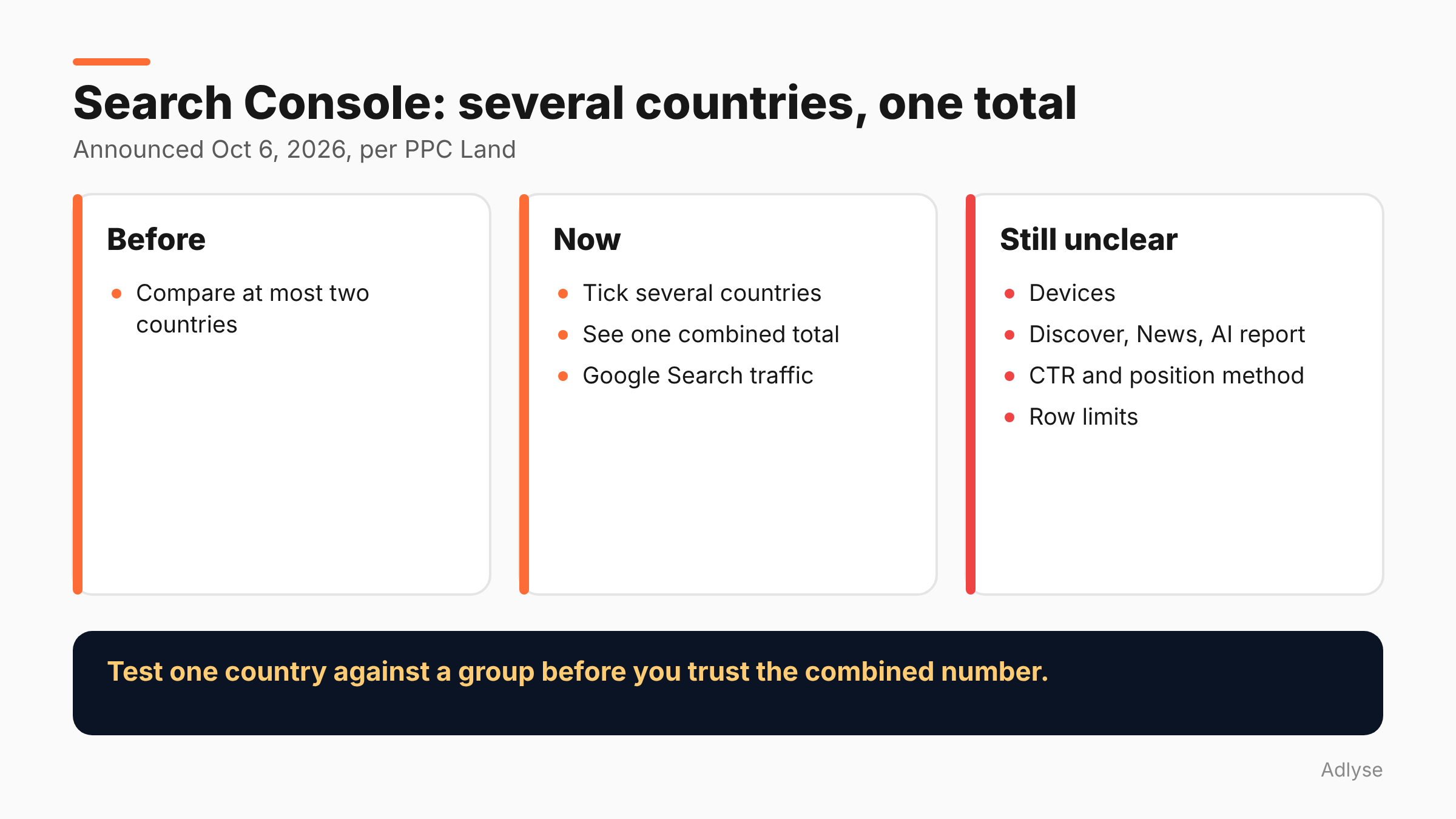
Search Console's Performance report can now show several countries as one combined total. Before, the interface let you compare at most two. PPC Land reports that Google announced the change on October 6, 2026, and Google gave no rollout schedule. It is a small feature, but it fixes a real reporting chore for teams that sell across markets.
What changed in Search Console?
Per PPC Land's report, the country filter in the Performance report now accepts more than one country at once, and returns one combined set of Google Search traffic figures for the selected markets.
PPC Land quotes the Google Search Central post as saying: "If you operate in multiple countries, you can now view their combined Google Search traffic." Users tick several countries in the Country dialog and apply the selection. The report then shows totals for the group, not country-by-country or side-by-side views.
Search Engine Roundtable also reported the change. We could not open Google's original post, which PPC Land attributes to Google Search Central's LinkedIn account, so check the wording there.
This is not news from this week. The announcement date is October 6, 2026, so treat this post as a how-to.
How do you use it?
This is our description, based on PPC Land's summary. Your interface may differ, because Google gave no rollout schedule.
- Open Search Console and choose your property.
- Open the Performance report.
- Add a Country filter.
- In the dialog, tick every country you want in the group.
- Apply the selection. The chart and tables show the combined total.
If you do not see multiple selection, you may not have the feature yet. PPC Land notes it is unclear how soon every account will see it.
What does Google not say?
PPC Land lists several open questions. Treat each as unknown until you test it:
- Devices. The post mentions devices, but PPC Land found no confirmed multi-select for devices.
- Other reports. It is unclear whether Discover, Google News or the generative AI report are included. The post refers only to Google Search traffic.
- CTR and position. How click-through rate and average position are calculated for a merged selection is not described.
- Limits. Existing limits appear to remain, including the 1,000-row cap per table and privacy filtering that removes anonymized queries. It is unknown whether a merged selection changes them.
- Documentation. The advanced filtering help page still describes the two-item limit, so the docs may lag the change.
If you rely on the combined average position, check one case by hand. Select a single country, note the number, and compare it with a group that includes it. Do not assume it is a simple average.
When is a combined view useful?
This section is our opinion.
Regional reporting. A brand that sells in Germany, Austria and Switzerland can report one DACH figure without exporting three tables and adding them by hand.
Language groups. Spanish-language markets, or English-speaking markets, can be grouped to see how a content set performs across all of them.
Matching ad geo groups. If your paid campaigns target a set of countries, you can build the same set in Search Console and compare organic with paid on the same footprint. See why that matters in our guide to cross-platform ad reporting.
Cleaner trend lines. Small markets have noisy data. A group is steadier than any one member.
What does Google's own documentation cover?
Google's Performance report help page explains how to sort by clicks, CTR and impressions, how to use the Difference column and how the branded query filter works. It does not mention multi-country selection in the passages we read, which fits PPC Land's note that the docs may lag the change.
That matters for reporting. If a client asks "how does Google calculate this?", you may have no written answer yet. Say so, show your single-country check, and note the date you tested it.
When is it the wrong tool?
When markets behave differently. A combined figure can hide a collapse in one country behind growth in another. Keep a country-by-country view next to the group.
When you need to find the cause. If a total drops, split the group. The cause is almost always in one market.
When you want precise rankings. Because the position calculation is not described, do not quote a combined average position as a rank.
When you need Discover or News. It is unclear whether those are included.
How does this connect to the core update?
Google's November 2026 core update is rolling out now and Google's documentation tells you to compare the week after completion with the week before the update began. If you sell in several countries, a grouped view gives a steadier comparison, and a split view tells you where a change happened. Our post on reading the November core update during Black Friday explains the timing.
How should agencies report multi-market SEO?
Use a simple layout. Put the combined total first, then the top three countries underneath, then a note on anything unusual. Annotate sale dates and site changes. Say which countries are in the group, because "Europe" means different things to different clients.
Agree the grouping in the client brief. If a client changes which countries count, the trend line breaks, and nobody will remember why. Keep a record of group definitions in your change log. For how we think about change records, see our guide to the audit trail for AI-driven ad spend.
What can you do while Google clarifies?
- Test on a known case. Select one country, then a group, and check that the numbers add up for clicks and impressions.
- Save your group definitions as a note, since the filter may not save them for you. We did not find a statement either way.
- Export both views for your records the first time you use the feature.
- Watch the help page. If the two-item limit disappears from the docs, the change has fully rolled out.
What should you do next?
Pick your top three markets, build one grouped view and one split view, and save both as a reporting template. If you run changes through Adlyse, each approved change ships with a hypothesis and is graded improved, hurt or neutral. Write the same hypothesis for any market-level SEO change before you read the grouped numbers.